
Navigation Design That Actually Works
Hamburger menus, mega menus, breadcrumbs, and sticky headers — we break down what works, when it works, and why it matters for your users.

What We Cover
Everything you need to understand navigation architecture and how to choose the right pattern for your site.
Hamburger vs Visible Navigation
When to hide your navigation and when to show it. We break down the research, show you real user behavior data, and help you decide what works for your specific audience.
Mega Menu Design
Organizing complex content without overwhelming users. Covers layout patterns, hover states, keyboard navigation, and how major sites handle thousands of links.
Breadcrumb Navigation
Breadcrumbs aren’t just decorative elements. Learn when they’re essential, how to structure them properly, and the mistakes that make them confusing instead of helpful.
Sticky Headers
Keeping navigation accessible while scrolling. Covers implementation challenges, performance considerations, mobile behavior, and when sticky headers actually improve the experience.
Information Architecture
How your navigation structure reflects your content organization. Understand taxonomy, hierarchy, and how good IA makes navigation design so much easier.
Accessibility & Usability
Navigation that works for everyone. WCAG compliance, keyboard navigation, screen readers, and testing strategies to ensure your navigation is truly accessible.
How We Help You Decide
Three simple steps to finding the right navigation pattern for your site.
Understand Your Users
We start by looking at who’s actually visiting your site. Mobile users? Desktop-focused? Complex content structure? Each audience needs different navigation approaches.
Analyze Your Content
How many pages do you have? What’s your information hierarchy? Is your content task-focused or browsing-focused? The answers shape your navigation design completely.
Choose & Implement
We show you proven patterns that match your situation, with implementation details, code examples, and testing strategies to make sure it actually works for your real users.
Navigation Design Patterns
Deep dives into specific patterns with research, examples, and practical implementation advice.
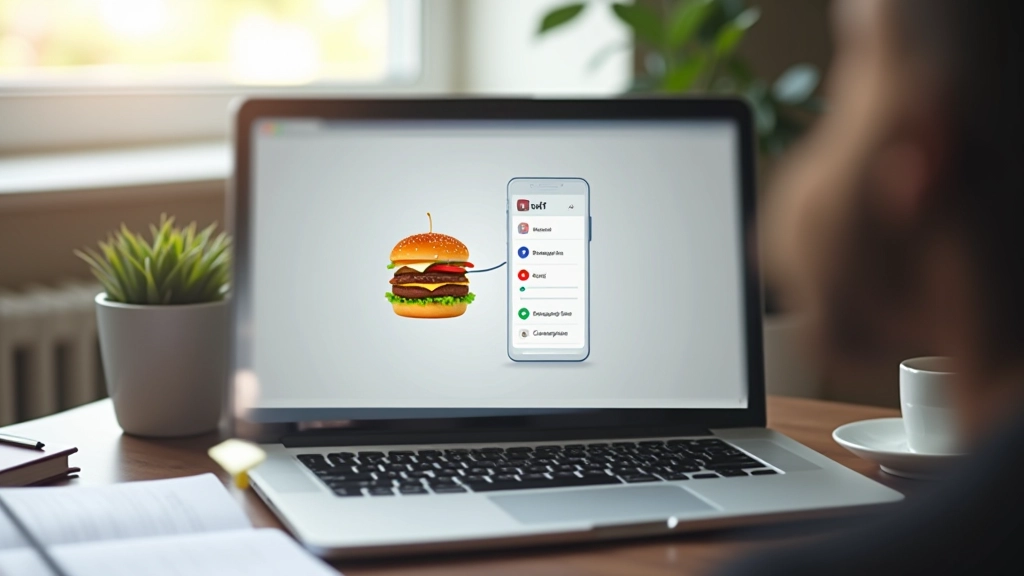
Hamburger Menu vs Visible Navigation: What Actually Works
When to hide your navigation and when to show it. We break down the research and show you what matters for your specific audience.
Read Article
Mega Menus: Organizing Complex Content Architecture
How to design mega menus that don’t overwhelm users. Covers layout patterns, hover states, keyboard navigation, and real examples from major sites.
Read Article
Breadcrumb Trails: Wayfinding That Actually Helps
Breadcrumbs aren’t just decorative. Learn when they’re essential, how to structure them, and mistakes that make them confusing instead of helpful.
Read ArticleWhat Designers & Developers Say
People who’ve used these patterns to improve their sites.
“I wasn’t sure which navigation pattern would work for our e-commerce site. The research here was super helpful — we ended up with a sticky header and mega menu combo that actually reduced our bounce rate. Couldn’t have made that decision without the data.”
“We’re a small team and don’t have time for guessing. This site’s breakdown of hamburger menus vs visible navigation saved us weeks of testing. Turns out our mobile users actually preferred the visible navigation — counterintuitive but the data was clear.”
“The breadcrumb section was eye-opening. We’d been adding breadcrumbs everywhere without thinking about it. After reading this, we removed them from most pages and kept them only where they actually helped. Site feels cleaner and users aren’t confused.”
Common Questions About Navigation Design
Quick answers to help you understand navigation patterns better.
Should I always use a hamburger menu on mobile?
Not necessarily. Hamburger menus hide navigation, which can increase friction. If you’ve got 5-7 main navigation items, showing them directly on mobile might work better. Test with your actual users before deciding.
Are sticky headers bad for user experience?
They’re not inherently bad, but they do take up vertical space on mobile. They work best when you need to keep navigation accessible, like on long content pages. Just make sure they don’t block important content.
When do I actually need breadcrumbs?
Breadcrumbs help when your site has deep hierarchies (3+ levels). They’re less useful on flat structures. They’re especially valuable in e-commerce and documentation sites where users need context about where they are.
How do mega menus affect performance?
Poorly implemented mega menus can slow down your site. The key is lazy-loading content, optimizing images, and using efficient CSS. Done right, they barely impact performance at all.
What’s the best navigation pattern for accessibility?
Semantic HTML, keyboard navigation, ARIA labels, and skip links are non-negotiable. The specific pattern (hamburger, visible, mega) matters less than proper implementation. All patterns can be accessible if built correctly.
How do I test if my navigation is working?
Test with real users — watch them navigate your site without guidance. Use heatmaps to see where people click. Track task completion rates. Analytics data is helpful, but user testing reveals the real problems.
Ready to Improve Your Navigation?
Whether you’re redesigning from scratch or optimizing what you’ve got, we’re here to help. Get expert guidance on navigation patterns that work for your specific situation.
Contact UsWhy Navigation Matters
The numbers behind good navigation design.
60%
of users abandon sites with confusing navigation within seconds
3
clicks is the average tolerance before users give up finding something
74%
of mobile users prefer visible navigation over hamburger menus for main sections
45%
improvement in task completion with properly structured information architecture